


GolfFix AI Golf Swing Analyzer
4.5355.00 Reviews
App Specs
- Version
- 3.15.0
- Updated On
- License
- Free
- Downloads
- 1,000,000+
- Developer
- MOAIS, Inc.
- Categories
- Sports
- Platform
- Android, iOS
Screenshots
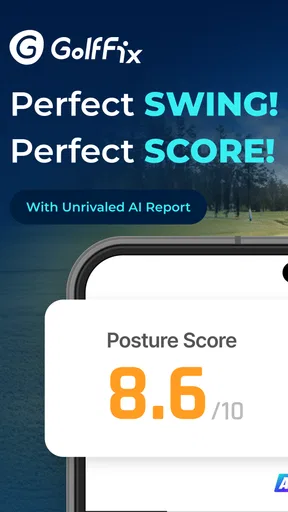
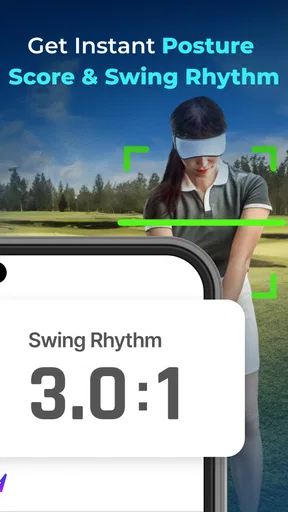
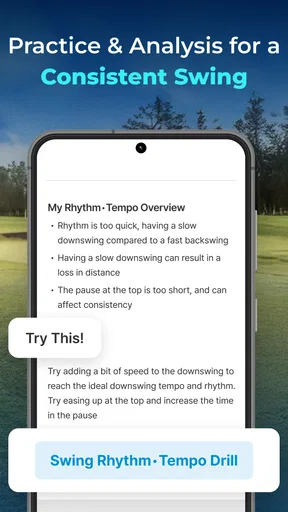
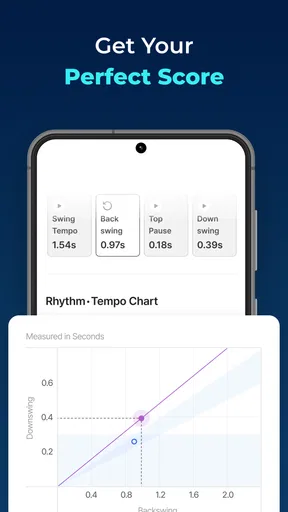
 Analysis by AppCompare
I’m most interested in swing-analysis apps when they help me notice one manageable change, rather than bury me in technical language or promise an instant fix. That is the lens I’d use with GolfFix AI Golf Swing Analyzer: it turns a phone recording into a way to review your movement and think about what to practise next. The key is treating its feedback as a guide, not a substitute for your own judgement or a coach who can see the full context.
Who benefits most from reviewing a swing
I can see this being useful for a beginner who wants a repeatable way to look back at their swing, and for a more experienced golfer who already knows what they are working on and wants to compare recordings. It suits people who are comfortable filming themselves and can spare a few minutes to review one point at a time. If you mainly want course maps, scorekeeping, or live help choosing a club, a golf GPS or scoring app is likely a better fit; this is focused on swing practice.
A practical routine is to record a few swings during a practice session, review the feedback, and choose just one adjustment to test. I would avoid changing several things at once: if the next recording looks different, you will not know which adjustment mattered. Keep the phone position and camera angle consistent when comparing clips, too. That small bit of discipline makes progress easier to judge than simply collecting a large stack of videos.
Making feedback useful between sessions
The analysis is most helpful when paired with a specific question. For example, if I am working on balance, I can watch the slow-motion playback with that in mind instead of trying to interpret every part of the movement at once. The app’s tips and drills can then give me a practice direction, but I would still check whether a suggested change feels comfortable and produces a reliable result. A camera can show a movement; it cannot tell me everything about how the shot felt or what happened to the ball.
It can also make a short practice session more deliberate. Before hitting balls, I would choose one goal, record a baseline, and review again after trying the related drill. That creates a simple before-and-after comparison without turning practice into a long analysis session. If I am tired or rushing, I would rather skip recording than draw a strong conclusion from one awkward swing.
What to expect from the setup
Phone placement is a real part of using a camera-based analyzer, not a trivial detail. A stable support and enough room to capture the movement make recordings easier to review. At a busy range, I would be considerate about where I set up and avoid blocking another golfer or leaving a phone where it could be knocked over. If you cannot position the camera safely or consistently, the quality of your comparisons may suffer, so a quick practice area at home can be a more comfortable place to get familiar with the process.
People also differ in how they prefer to learn. Some golfers like replaying a movement and studying visual feedback; others understand a change better through a coach’s spoken explanation or a hands-on lesson. GolfFix can add structure to self-practice, but I would not assume that every golfer will find an AI explanation equally clear. When a tip leaves you unsure what to do, take that as a reason to simplify the task or ask a qualified instructor, rather than forcing a technical change.
Worth Reading Before You Choose

EA SPORTS FC Mobile 26 Is a Bigger Football Game, but It Takes Time

Flipboard Shows What News Apps Must Do Beyond the Feed

Switching to Android Auto Means Rethinking Your Driving Routine

Google Calendar Makes a Crowded Week Easier to Manage

Ludo King Makes the Most of the Minutes Between Plans

Baby Panda World Brings Quick Play to Modern Phones, but Its Game Library Feels Busy
Getting Started with GolfFix AI
First things first, downloading and setting up GolfFix AI Golf Swing Analyzer was a breeze. You can find it on both Android and iOS stores, and it's totally straightforward to get going. Once you’ve got it on your device, you’re greeted with a sleek and user-friendly interface that even the least tech-savvy among us can navigate with ease.
After a quick sign-up process, you're ready to start analyzing your swing. All you need is your phone's camera, and the app takes it from there. It's as simple as setting your phone on a tripod or propped up securely, and hitting record. The app does its magic by capturing your swing and providing detailed feedback.
The Magic of AI Analysis
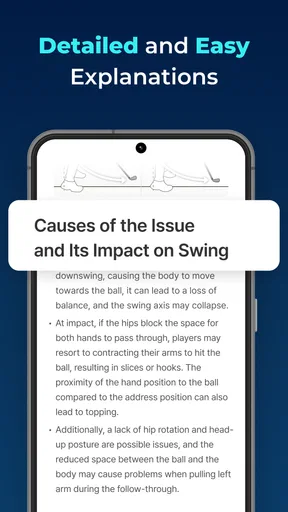
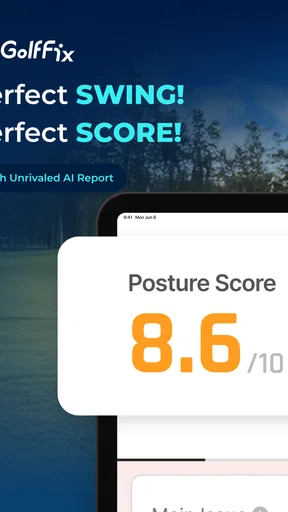
Now, here’s where things get really interesting. The app uses advanced AI algorithms to analyze every aspect of your swing. From your grip and stance to the follow-through, nothing escapes its keen eye. It delivers a detailed breakdown of your swing mechanics, offering insights that are both informative and actionable.
Personalized tips are provided based on your individual swing style. It's almost eerie how accurately it can detect small nuances in your technique. The app points out areas of improvement and suggests drills to help you refine your skills. It's like having a professional coach with you at all times, minus the hefty price tag.
Reading the feedback with care
For me, the useful question is not whether an analysis sounds authoritative, but whether I can translate it into a clear practice task. If a note identifies a movement I can recognise in the replay, I can try a drill and record again. If I cannot see what the note refers to, I would not keep making guesses until something changes. A short conversation with a golf instructor may be more valuable than repeatedly reviewing a confusing clip.
That distinction matters because camera-based analysis has a viewpoint: it can only assess what the recording makes visible. Clothing, shadows, a crowded background, or a camera angle that hides part of the movement can make a clip harder to interpret. I would use a consistent, uncluttered setup when possible and regard a single result as a prompt to investigate, not a definitive verdict on my technique.
Features That Stand Out
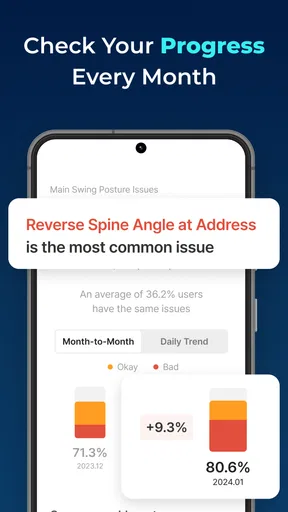
One of the standout features of this app is the slow-motion playback. You can watch your swing in slow motion, which helps in identifying issues that might be missed at full speed. Plus, there’s the ability to compare your swings over time, so you can track your progress and see tangible improvements.
The app also includes a library of instructional videos and tips from professional golfers. It's like a masterclass in your pocket, ready to teach you everything from basic techniques to advanced strategies.
Accessibility in an ordinary practice routine
Clear navigation is especially helpful when I am moving between recording and review, or when I only have a small window to practise. A golfer who is new to swing terminology may still need to take the feedback slowly, though. I would start with the app’s most understandable observation, replay the relevant moment, and avoid trying to absorb a whole list of corrections in one sitting. The instructional videos may offer another way into a concept when reading an analysis alone does not click.
There are practical differences in who can use this comfortably. Holding or positioning a phone, setting up a tripod, and repeating a swing all require some combination of movement, balance, and coordination. Golfers with limited mobility may find filming independently awkward, while a companion can help with the camera setup. For someone who has difficulty seeing small details on a phone screen, a larger display or sharing a clip with a coach may make review easier. Those are workarounds, not guarantees that every part of the app will suit every need.
Sensory preferences matter as well. If watching repeated swing footage is tiring or visually confusing, a video-based tool may not be the most comfortable primary coach. I would keep sessions brief and use spoken instruction or in-person guidance alongside the app. If you are practising in bright sunlight, glare can also make phone viewing inconvenient; reviewing later in a calmer setting can be more useful than squinting between shots.
Choosing the right place and pace
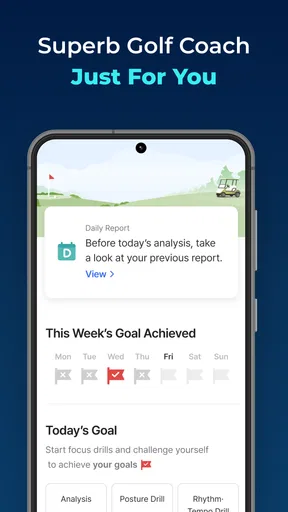
Consider a golfer who has a spare half-hour after work and wants to practise one change before the next round. They can set the phone securely at the range, record a baseline, work on one drill, then compare another swing from the same position. That is a more realistic use than trying to analyse every shot during a busy round. On-course attention belongs on playing safely and keeping pace; detailed review is better saved for practice.
GolfFix is also not a replacement for every kind of golf technology. A rangefinder helps with distance, a GPS app can support course navigation, and a coach can adapt instruction to the player and the situation in front of them. This app’s distinctive role is reviewing recorded swing movement. I would choose it when that is the problem I want to work on, and choose another tool when I need course information or direct human feedback.
Cost, commitment, and sensible expectations
The app is free to download, while in-app purchases range from $14.99 to $99.99 per item. I would explore the basic experience before paying for anything and decide whether I am actually using the analysis often enough to justify an added purchase. A golfer who records only occasionally may not get the same value as someone who has a regular practice routine. Since swing improvement takes repetition, the app is most worthwhile when it helps you practise with a plan rather than simply watch clips.
It is a sports app from MOAIS, Inc., rated for Everyone, with an average rating of 4.5 from around 6,000 ratings and more than 500,000 installs. It was released on August 10, 2020, and version 3.9.0 requires Android 9 or later. Those details make it a well-established option to consider, but popularity cannot tell you whether its coaching style matches your learning preferences. I would make that call by trying a small, repeatable practice routine and judging whether the feedback leads to a useful next step.
Community and Connectivity
GolfFix AI doesn’t just leave you to figure things out on your own. It offers a vibrant community feature where you can share your progress, get feedback, and even participate in challenges. It’s a great way to stay motivated and connect with fellow golf enthusiasts.
Moreover, the app syncs seamlessly with other devices, allowing you to share your swing videos with friends or coaches for additional feedback. This connectivity makes it a versatile tool for anyone serious about improving their game.
My inclusive verdict
For golfers who can comfortably record and review a swing, this is a focused practice companion with visual tools that can make self-coaching more concrete. Its value depends on using those tools patiently: keep the camera setup steady, work on one change at a time, and bring in a person when the feedback is unclear. Golfers who need accessible coaching formats, live course assistance, or an instructor’s individual attention may be better served by another option or by using this only as a supplement.
Final Thoughts
In conclusion, GolfFix AI Golf Swing Analyzer is a game-changer for golfers of all levels. Whether you’re a seasoned pro or just starting out, this app offers invaluable insights and guidance. It's intuitive, packed with features, and truly feels like a personal coach that fits right in your pocket.
If you're serious about improving your golf game, I highly recommend giving this app a try. It’s a small investment for potentially huge returns on the course. So, grab your phone, head to the golf course, and let GolfFix AI help you swing your way to a better game.
Pros
- Accurate swing analysis using AI.
- User-friendly interface for all levels.
- Real-time feedback for improvements.
- Comprehensive data tracking and history.
- Supports multiple swing comparisons.
Cons
- Requires stable internet connection.
- Limited free features without subscription.
- Can be data-intensive on mobile plans.
- Occasional lag on older devices.
- No offline mode available.
FAQs for GolfFix AI Golf Swing Analyzer
What is GolfFix AI Golf Swing Analyzer?
GolfFix AI Golf Swing Analyzer is an app designed to help golfers improve their swing by using artificial intelligence. It analyzes your swing in real-time, providing detailed feedback and personalized tips to enhance your performance. It’s suitable for golfers of all levels, from beginners to professionals.
How does the AI feature work in GolfFix?
The AI in GolfFix utilizes advanced algorithms to assess your golf swing. By capturing video footage through your smartphone, it analyzes various aspects such as posture, swing speed, and alignment. The app then provides actionable insights and tips tailored to your specific needs, helping you refine your technique.
Is GolfFix compatible with all devices?
GolfFix is available on both Android and iOS platforms. However, it requires a device with a camera to record your swing. It’s recommended to check the app store for specific device compatibility and ensure your operating system is up to date to avoid any technical issues.
Does GolfFix require a subscription?
While GolfFix offers a free version with basic features, it also provides a premium subscription for users seeking advanced functionalities. The premium version includes detailed analysis, personalized coaching, and access to exclusive content. Pricing details and subscription options can be found within the app itself.
Can beginners benefit from GolfFix?
Absolutely! GolfFix is designed to cater to golfers of all skill levels. Beginners can benefit from the app’s step-by-step guidance and easy-to-understand tips. The AI-driven feedback helps newcomers identify and correct common mistakes, making it an excellent tool for learning and improvement.


